Read time: 6 min | Last updated: January 2025
You've probably tried using ChatGPT for email—copying messages from your inbox, pasting them into ChatGPT to draft a response, then copying the result back to Gmail or Outlook. It works, but it's tedious. Every email becomes a multi-step process involving context switching, manual copying, and editing ChatGPT's output to fit your actual situation.

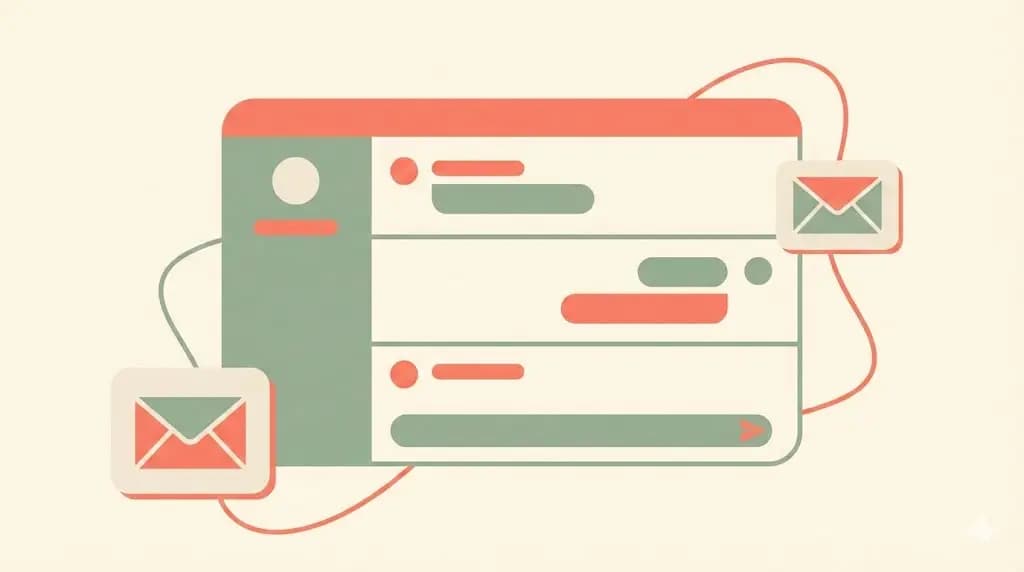
Ayari offers a better approach. Instead of copying emails back and forth, Ayari integrates directly with your inbox. Within the chat interface, you can see, edit, and send your emails while leveraging the same conversational AI intelligence. This guide explains the limitations of using ChatGPT manually for email and how Ayari solves them.
Why People Use ChatGPT for Email
ChatGPT excels at understanding natural language and generating thoughtful responses. When you need to draft a complex email—declining a meeting diplomatically, responding to a difficult client, or writing a cold outreach message—ChatGPT can help you find the right words and tone.
The workflow is straightforward: copy the email you received, paste it into ChatGPT with instructions like "draft a professional response declining this meeting," review the output, make edits, and paste it back into your email client. For occasional use on challenging emails, this works fine.
The problems emerge with scale and context. If you're processing dozens of emails daily, the manual copy-paste workflow consumes significant time. ChatGPT has no memory of your previous conversations with the sender, your email writing style, or context from other messages. Each interaction starts from scratch.
Limitations of ChatGPT for Email
Limited direct integration with email platforms means most ChatGPT workflows involve manual copy-pasting. Even when using third-party tools that claim to connect ChatGPT with Gmail, you're still managing context manually and switching between applications. The AI doesn't have native access to your full email threads or conversation history.
No action capability means ChatGPT can't actually send emails, schedule meetings, or update calendar events. It generates text that you then manually execute. When someone asks for a meeting, ChatGPT can draft a response, but you still need to check your calendar, propose times, create the invite, and send everything manually.
No style learning happens because ChatGPT doesn't analyze your sent emails to understand how you typically write. Every response uses ChatGPT's default tone unless you provide detailed instructions each time. Maintaining consistent voice across all your communications requires extra effort.
Context switching overhead adds up when you're moving between your email client and ChatGPT dozens of times per day. Each switch interrupts your workflow and requires re-orienting to where you were. Research shows these micro-interruptions significantly impact productivity.
What Integrated AI Email Assistants Do Differently
Integrated AI email assistants connect directly to your Gmail or Outlook account through secure OAuth authentication. Instead of you copying content to the AI, the AI accesses your inbox with permissions you control.
This integration enables capabilities impossible with manual ChatGPT use:
Automatic context retrieval means the AI reads entire email threads, understands conversation history, and knows your relationship with each contact. When drafting a response, it references previous exchanges naturally without you manually providing that context.
Direct action lets the AI not just draft responses but actually send them, create calendar invites, schedule meetings, and update events. When someone requests a meeting, the AI checks your calendar, proposes available times, drafts the response, and creates the calendar invite—all in one step.
Style adaptation happens as the AI analyzes your sent emails to learn your writing patterns, common phrases, and typical tone with different contacts. Responses sound like you wrote them because the system learned from your actual communication style.
Workflow continuity keeps you in your inbox instead of switching between applications. The AI works where you're already working, suggesting responses inline rather than requiring navigation to a separate tool.
Automated triage categorizes incoming emails by urgency and required action before you even open them. Instead of scanning every subject line, you see what actually needs your attention today versus what can wait.
How Ayari Compares to Using ChatGPT for Email
Most people using ChatGPT for email appreciate its conversational intelligence but get frustrated with the manual workflow. Ayari provides that same conversational AI capability—actually using GPT-5 as one of its models—while adding the integration and automation that ChatGPT lacks.
Multi-Model Intelligence
Unlike standalone ChatGPT, Ayari gives you access to multiple leading AI models: GPT-5, Claude, and Gemini. You're not locked into one model's approach. GPT-5 handles creative, nuanced responses well. Claude excels at understanding long email threads and complex context. Gemini processes high-volume triage quickly.
Different email tasks benefit from different models. For most users, having options matters more than being tied to a single AI, regardless of how capable that AI is.
True Email Integration
Ayari connects to your Gmail or Outlook account through standard OAuth—the same secure method other business apps use. You grant specific permissions (read email, send email, access calendar) and can revoke them anytime through your account settings.
Once connected, Ayari works directly in your email workflow:
When you ask "show me urgent client emails from this week," Ayari searches your actual inbox using natural language understanding. It retrieves relevant messages based on content and context, not just keywords.
When you request "draft a response to Sarah's meeting request suggesting Thursday afternoon," Ayari reads Sarah's message, checks your calendar for Thursday availability, and generates a response that includes a calendar invite—all ready to review and send.
When triaging your inbox, Ayari automatically categorizes messages by urgency and required action based on your patterns, saving you from manually scanning every subject line to identify priorities.
Learning Your Communication Style
Ayari analyzes your sent email history to understand how you typically communicate. It learns that you sign emails with "Thanks," not "Best regards." It recognizes you're more casual with internal team members than external clients. It picks up industry-specific terminology you use regularly.
This learning happens automatically as you use the system. The more email you process through Ayari, the better it gets at matching your natural voice. You're not providing instructions for every response like you would with ChatGPT—the AI already knows your style.
Industry-Specific Workflows
Beyond generic email assistance, Ayari includes pre-built workflows for common roles:
Recruiters get automated candidate pipeline management. Applications are categorized by role, interview scheduling coordinates across calendars, follow-ups trigger based on candidate stage. One recruiting firm improved offer acceptance rates by 23% through faster, more consistent communication.
Sales teams get proposal coordination and demo scheduling. When prospects request information, Ayari drafts customized responses incorporating relevant case studies and handles meeting coordination across multiple stakeholders.
Marketing teams get campaign coordination and stakeholder management. Creative reviews, event scheduling, and vendor communications follow automated workflows that maintain brand voice while reducing manual work.
These workflows go beyond what you could accomplish with manual ChatGPT use, even with perfect prompts.
ChatGPT Email Integration vs Manual Copy-Paste: Real Metrics
Consider a typical scenario: a client emails requesting a meeting next week.
Manual ChatGPT Workflow (5-7 minutes):
- 1.Copy client's email from Gmail/Outlook
- 2.Open ChatGPT in another tab
- 3.Paste email with prompt: "draft professional response"
- 4.Review ChatGPT's generic output
- 5.Switch to calendar, check availability manually
- 6.Edit response with actual available times
- 7.Copy edited response back to email client
- 8.Create calendar invite separately
- 9.Send email and invite
True Integration Workflow (30-60 seconds):
- 1.Tell Ayari: "respond to Michael proposing Thursday afternoon"
- 2.Review draft with automatic calendar checking
- 3.Send with integrated calendar invite
Time saved: 80-90% per email Weekly impact: 8-10 hours saved for high-volume users

This isn't about AI quality—it's about integration. ChatGPT email integration through proper APIs eliminates the manual overhead that makes AI assistance impractical at scale.
Common Questions About ChatGPT Email Integration
Can ChatGPT integrate with Gmail or Outlook?
No, ChatGPT has no native email integration. While third-party tools claim to connect ChatGPT with email, they're essentially automating the copy-paste process rather than providing true integration. ChatGPT can't access your inbox, read email threads, or take actions like sending messages or scheduling meetings.
What if I'm already paying for ChatGPT Plus?
You can use Ayari the same way you'd use ChatGPT—for conversational AI assistance—while also getting access to other leading models like Claude and Gemini. The difference is that Ayari integrates directly with your email, so you can see, edit, and send messages without copy-pasting. Many users find that Ayari replaces their ChatGPT usage for email while offering broader capabilities.
Are there free alternatives to using ChatGPT for email?
Gmail and Outlook include basic AI features—Smart Compose, Smart Reply, focused inbox—that provide limited assistance without manual workflows. These work adequately for simple responses but lack the sophistication of ChatGPT's language understanding.
When Manual ChatGPT Actually Works Better
Despite the limitations, manual ChatGPT use makes sense in specific situations:
Occasional complex emails where you need help crafting difficult messages a few times per week don't justify setting up full email integration. The copy-paste workflow is manageable at low volume.
Non-work email on personal accounts where you're not processing high volumes and don't need automation. Using ChatGPT to draft an important personal email works fine without integration overhead.
Template creation for email sequences or standard responses benefits from ChatGPT's generation quality. You're creating content to use later, not processing real-time inbox volume.
Learning email best practices through ChatGPT's explanations of tone, structure, and professional writing conventions provides value beyond just getting responses drafted.
For these use cases, the flexibility and general-purpose nature of ChatGPT outweighs the integration limitations.
Getting Started with Integrated AI for Email
If you're currently using ChatGPT manually for email and feeling the friction of constant copy-pasting, integrated alternatives can help. Ayari provides ChatGPT's conversational intelligence (literally using GPT-5 as one option) plus Claude and Gemini models, combined with actual Gmail and Outlook integration.
The setup takes about 5 minutes—connect your email account through OAuth, grant the permissions you're comfortable with (read-only for triage, or send access for full automation), and start using AI assistance directly in your workflow.
Most people see immediate value from automated triage and natural language search, then gradually adopt response drafting as they trust the system's understanding of their style.
Try Ayari Free or see pricing options.
Questions? Schedule a quick demo to see the difference between manual ChatGPT and integrated AI email assistance.