Read time: 15 min | Last updated: January 2026
The promise of AI scheduling is simple: stop spending time managing your calendar so you can spend time on actual work. The reality is messier. Some tools auto-schedule tasks but ignore your energy levels. Others optimize team calendars but can't help you personally. A few handle meeting booking but nothing else.
After researching and testing the major AI scheduling assistants available in 2026, here's what actually works, and more importantly, which tool matches how you work.
TL;DR: Best AI Scheduling Assistants (2026)
| Tool | Best For | Starting Price | Key Strength |
|---|---|---|---|
| Ayari | Unified email, calendar & task planning | $12.99/month | Single workspace that actually executes |
| Motion | Deadline-driven automatic daily planning | $29/month | Rigid task scheduling with time estimates |
| Reclaim AI | Protecting focus time and habits | $12/seat (free tier) | Time-blocking that defends deep work |
| Clockwise | Teams with heavy meeting loads | $6.75/user (free tier) | Optimizes internal meetings for focus time |
| Calendly | External meeting booking | $10/month (free tier) | Simple scheduling links everyone understands |
| Trevor AI | Budget-conscious task planners | $6/month (free tier) | Task-to-calendar scheduling at low cost |
| SkedPal | Deep work and structured routines | $14.95/month | Adaptive scheduling for recurring tasks |
| Vimcal | Executives managing multiple calendars | $20/month | Speed and multi-calendar juggling |
| Clara | High-touch executive scheduling | Custom pricing | Human + AI hybrid for complex coordination |
1. Ayari – Best for Unified Email, Calendar & Task Planning
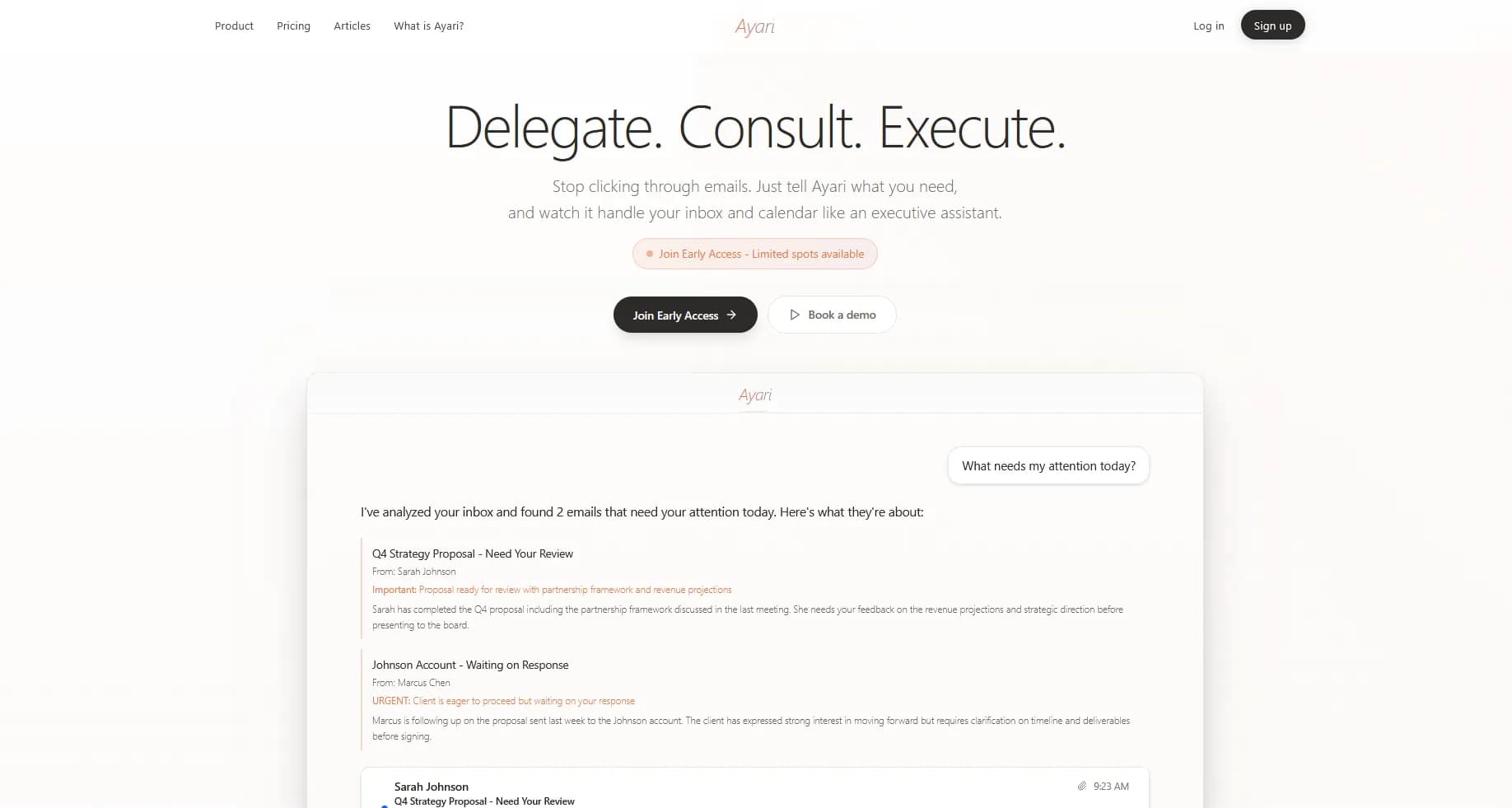
Ayari combines what's usually three separate tools: email client, calendar app, and AI task planner. Tell Ayari what needs to happen in plain English, and the AI figures out when to schedule it based on what's already on your calendar.
What sets it apart: everything lives in one interface. Meeting requests that arrive in your inbox, tasks you need to schedule, calendar conflicts you need to resolve, emails you need to send. All handled without switching apps.
How It Works
Say "Add a 2-hour block to work on the quarterly report this week" and Ayari finds optimal time based on your existing commitments. Say "Schedule a call with Sarah, she prefers mornings" and Ayari checks your calendar, drafts the email, and sends it with your approval.
The built-in calendar shows everything in one view. You can interact with events conversationally ("Move my 3pm to tomorrow" or "What's on my calendar Thursday?") and Ayari executes immediately.
Key Features
- Conversational task planning: Tell Ayari what to add to your calendar in natural language, and it finds optimal slots
- Smart scheduling: AI considers your existing commitments, patterns, and preferences when placing tasks
- Built-in calendar: Full calendar interface, not just a chatbot overlay—view, edit, and manage events directly
- Email + calendar unified: Meeting requests from your inbox appear alongside your availability
- Batch operations: "Clear my Friday afternoon" or "Show me everything with [client name] this month"
- Daily briefings: Morning summary of your schedule and any conflicts
- Works with Outlook and Gmail: Connects to both platforms
Pros
- Single workspace: Email, calendar, and task planning in one interface instead of three apps
- Actually executes: Creates events, sends emails, moves meetings. Not just suggestions you copy-paste
- Context-aware: Knows your relationships and conversation history when scheduling
- Natural interaction: Describe what you need in plain language instead of filling out forms
Cons
- No free tier: Free trial only, unlike Reclaim or Clockwise which offer free plans
- No scheduling links: For Calendly-style external booking pages, you'd need a separate tool
- No project management: If you need Kanban boards, Gantt charts, or team task assignment, look elsewhere
Pricing
Starting at $12.99/month.
Best For
Professionals who want email, calendar, and task planning combined. Particularly valuable if you're tired of switching between apps and want AI that actually takes action: scheduling meetings, sending emails, and managing your calendar through natural conversation.
2. Motion – Best for Automatic Daily Planning
Motion's pitch is bold: tell it your tasks and deadlines, and it builds your perfect day automatically. The AI schedules when you'll work on what, reshuffles when things change, and theoretically eliminates the "what should I do next?" question entirely.
For solopreneurs and freelancers juggling multiple projects with hard deadlines, this level of automation can be genuinely transformative.
How It Works
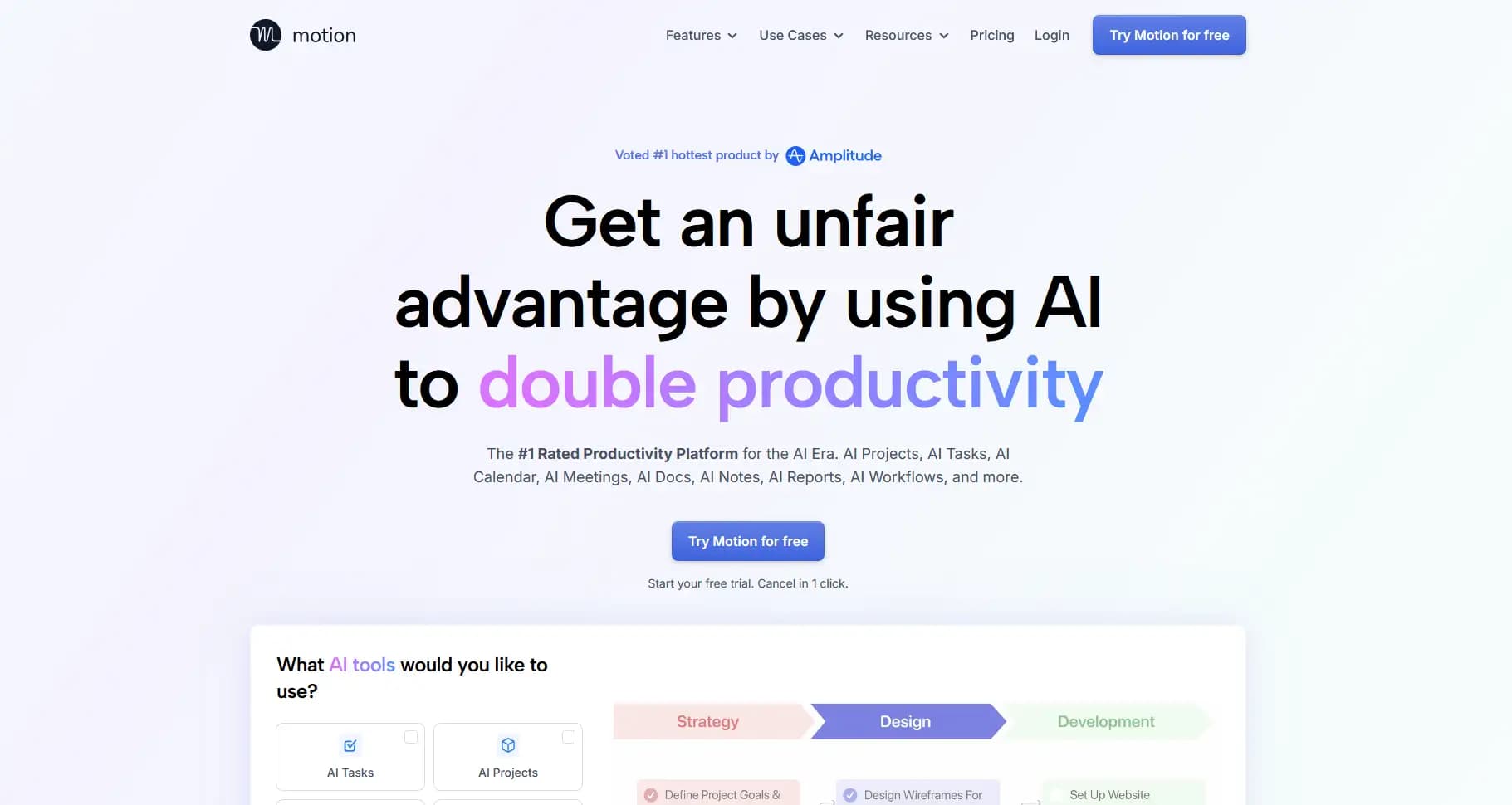
You input tasks with deadlines, time estimates, and priorities. Motion's AI slots them into your calendar around existing meetings. If a task doesn't get done or a meeting runs over, Motion automatically reschedules everything to keep you on track for deadlines.
Key Features
- AI auto-scheduling: Tasks automatically placed on your calendar based on priority and deadline
- Dynamic rescheduling: Calendar adjusts in real-time when plans change
- Project management: Kanban boards, lists, Gantt charts for team visibility
- Meeting scheduling: Calendly-style booking links built in
- Deadline warnings: AI alerts when you're at risk of missing a deadline
- Google Calendar and Outlook sync: Works with both ecosystems
Pros
- Reduces decision fatigue: You don't choose what to work on, Motion does
- Deadline-driven: Good for people who work best under structured pressure
- All-in-one: Task management + calendar + meeting scheduling in one tool
- Team features: Project visibility and task assignment for small teams
Cons
- Requires discipline upfront: You must accurately estimate task duration and set deadlines. Garbage in, garbage out
- AI can feel rigid: Sometimes schedules tasks at odd times or creates too many small blocks
- Expensive: $29/month is steep for individuals, especially if you don't use project management features
- Mobile app issues: Multiple users report the iOS/Android apps are buggy and slow
- Learning curve: Takes a week or more to properly configure
Pricing
$29/month individual (annual billing). Team pricing scales with seats. 7-day free trial. 25% discount for students and nonprofits.
Best For
Solopreneurs, freelancers, and small teams who want AI to remove scheduling decisions entirely. Works best for people with clear deadlines and the discipline to input accurate task estimates.
3. Reclaim AI – Best for Protecting Focus Time
Reclaim takes a different philosophy than Motion: instead of scheduling your tasks, it defends your time. The core idea is that knowledge workers need uninterrupted blocks for deep work, and Reclaim automatically protects those blocks while intelligently scheduling everything else around them.
How It Works
You tell Reclaim your habits (lunch, exercise, deep work) and it automatically finds time for them. When conflicts arise, Reclaim moves flexible events to preserve your priorities. It also handles Smart 1:1s—if you're a manager with recurring meetings, Reclaim finds optimal times across attendees' calendars.
Key Features
- Focus time blocks: Automatically schedules and defends deep work time
- Habits: Recurring activities (lunch, gym, reading) that reschedule around conflicts
- Smart 1:1s: Optimal scheduling for recurring meetings across team calendars
- Task scheduling: Basic task-to-calendar functionality
- Buffer time: Automatic gaps between meetings
- Time tracking: See where your time actually goes
- Google Calendar and Outlook support: Full parity on both platforms
Pros
- Philosophy resonates: "Defend your time" feels right for burned-out knowledge workers
- Excellent free tier: Generous limits for personal use
- Team-friendly: Smart 1:1s genuinely useful for managers
- Light touch: Works with your calendar rather than replacing it
Cons
- Task scheduling is basic: If you want Motion-level task automation, Reclaim isn't it
- Internal meetings only: Can't optimize meetings with external attendees
- No mobile app: Desktop/web only for task management
- Focus time can feel rigid: Sometimes defends blocks you'd actually be willing to give up
Pricing
Free tier available. Starter plan at $12/seat/month.
Best For
Knowledge workers and managers who feel their calendars are out of control. Particularly good for people who need protected deep work time and have many recurring internal meetings.
4. Clockwise – Best for Team Calendar Optimization
If Reclaim focuses on individual time protection, Clockwise optimizes at the team level. It analyzes your entire organization's calendars and automatically moves flexible meetings to create focus time for everyone.
Over 40,000 organizations use Clockwise, including Atlassian, Asana, and Reddit.
How It Works
Clockwise identifies which meetings are "flexible" (internal, no external attendees) and automatically reshuffles them to consolidate focus time across the team. The AI runs daily optimization—if someone's calendar changes, Clockwise adjusts flexible meetings accordingly.
Its Prism feature lets you make changes through natural language: "Move my one-on-ones to Thursday" or "Find 30 minutes with the design team."
Key Features
- Flexible meetings: Internal meetings that Clockwise can move automatically
- Focus time creation: Consolidates fragmented calendars into usable blocks
- Prism AI: Natural language commands for scheduling changes
- Team analytics: See how your organization spends time
- Lunch holds and travel time: Automatic calendar protection
- Slack integration: Scheduling commands from Slack
Pros
- Team-level thinking: Optimizes for the group, not just individuals
- Affordable: Starting at $6.75/user/month undercuts most competitors
- Generous free tier: Core features available at no cost
- Low friction: Works quietly in the background
Cons
- Internal meetings only: Doesn't help with external scheduling
- Limited for individuals: Real value comes with team adoption
- Daily optimization only: Updates at 4 PM, not real-time like Motion or Reclaim
- Requires flexible meetings: If all your meetings are fixed, Clockwise can't help
Pricing
Free tier available. Teams plan starting at $6.75/user/month.
Best For
Teams with heavy internal meeting loads who want more collective focus time. Less useful for individuals or those with mostly external meetings.
5. Calendly – Best for External Meeting Booking
Calendly isn't an AI scheduling assistant in the same sense as Motion or Reclaim—it's a booking tool. But it solves a specific problem extremely well: eliminating the "when are you free?" back-and-forth when scheduling with people outside your organization.
Nearly everyone has seen a Calendly link by now. That ubiquity is a feature.

How It Works
You set your availability preferences and share a booking link. Recipients pick a time that works for them. Calendly handles timezone conversion, calendar conflicts, and confirmation emails automatically.
Key Features
- Scheduling links: Share a URL, let others book available times
- Event types: Different meeting lengths and purposes (15-min intro, 60-min deep dive)
- Round-robin scheduling: Distribute meetings across team members
- Payment collection: Charge for consultations directly through booking
- Integrations: Zoom, Google Meet, Teams, HubSpot, Salesforce
- Buffer time: Automatic gaps between meetings
Pros
- Everyone understands it: No learning curve for recipients
- Eliminates back-and-forth: Real time savings for external scheduling
- Solid free tier: One event type, unlimited one-on-one meetings
- Reliable: It just works
Cons
- Not an assistant: Doesn't help with task management, focus time, or internal scheduling
- Can feel impersonal: Some people dislike receiving booking links
- Limited customization: Branding and workflow options require paid tiers
- Commodity tool: Many competitors offer similar functionality
Pricing
Free tier available. Standard plan at $10/month.
Best For
Anyone who schedules meetings with external contacts—sales calls, client consultations, job interviews, podcast bookings. Less useful if your scheduling challenges are internal.
6. Trevor AI – Best Budget-Friendly Task Scheduler
Trevor AI is the most affordable serious option for task-to-calendar scheduling. It doesn't have Motion's project management or Reclaim's team features, but it does the core job well: turning your task list into a scheduled plan for the day.
How It Works
Connect your task manager (Todoist, Asana) and calendar (Google, Outlook). Trevor analyzes your tasks and suggests when to work on them. Drag tasks onto your calendar or let Trevor auto-schedule based on deadlines and time estimates.
Key Features
- Task-to-calendar scheduling: Visual planning where tasks become calendar blocks
- AI suggestions: Recommendations for when to tackle specific tasks
- Focus mode: Time-blocking techniques to maintain concentration
- Daily planning: Morning workflow to set your priorities
- Todoist and Asana integration: Works with popular task managers
- Color coding: Visual task organization
Pros
- Affordable: $6/month makes it accessible for students and freelancers
- Simple: Focused feature set, easy to learn
- Effective: Users report 85% task completion vs 40% with traditional lists
- Good free tier: Core functionality available at no cost
Cons
- Basic AI: Less sophisticated than Motion's automatic scheduling
- Limited integrations: Fewer connections than enterprise tools
- No team features: Individual use only
- Occasional sync issues: Some users report hiccups with external apps
Pricing
Free plan available. Pro at $6/month.
Best For
Students, freelancers, and budget-conscious professionals who want task-to-calendar scheduling without the price tag of Motion or Reclaim.
7. SkedPal – Best for Deep Work and Structured Routines
SkedPal has been around since 2014, predating the current AI scheduling boom. Its strength is adaptive scheduling for people with structured routines and recurring deep work needs.
How It Works
You define "time maps"—periods when certain types of work should happen (creative work in mornings, admin in afternoons). SkedPal schedules tasks within those constraints, adapting when things change. It's more structured than Motion's approach but gives you more control.
Key Features
- Time maps: Define when different work types should occur
- Adaptive scheduling: Tasks move based on what actually gets done
- Recurring task support: Good for routines and habits
- Priority zones: High-priority tasks scheduled in your best energy periods
- Calendar sync: Google Calendar and Outlook integration
Pros
- Control + automation: More structure than full AI scheduling
- Routine-friendly: Excellent for people with predictable schedules
- Mature product: 10+ years of refinement
- Reasonable price: $14.95/month for full features
Cons
- Steeper learning curve: Time maps take effort to configure
- Dated interface: Not as polished as newer competitors
- Individual focus: Limited team functionality
- Niche appeal: Best for specific work styles
Pricing
$14.95/month.
Best For
Academics, writers, and professionals with structured routines who want AI scheduling but also want to define when different types of work happen.
8. Vimcal – Best for Executives Managing Multiple Calendars
Vimcal positions itself as "the fastest calendar app" for busy professionals. It's built for people juggling multiple calendars—personal, work, client—who need speed above all else.

How It Works
Vimcal provides keyboard shortcuts for everything, natural language event creation ("Lunch with Sam tomorrow noon"), and smart features like timezone handling for people who schedule across time zones constantly.
Key Features
- Keyboard-first design: Navigate without mouse
- Natural language input: Create events conversationally
- Multi-calendar management: Unified view of many calendars
- Timezone intelligence: Essential for global scheduling
- Scheduling links: Built-in booking functionality
- Speed optimizations: Fast loading, quick actions
Pros
- Fast: Genuinely quicker than Google Calendar or Outlook
- Multi-calendar native: Built for complex calendar setups
- Keyboard shortcuts: Power user friendly
- Clean design: Minimal, focused interface
Cons
- Learning curve: Keyboard-heavy approach takes adjustment
- No AI scheduling: Faster interface, but not automatic planning
- Premium price: More expensive than basic calendar apps
- Individual focus: Team features are limited
Pricing
$20/month individual. Team pricing available.
Best For
Executives and professionals managing 3+ calendars who want maximum speed. Less about AI automation, more about efficient calendar interaction.
9. Clara – Best Human + AI Hybrid
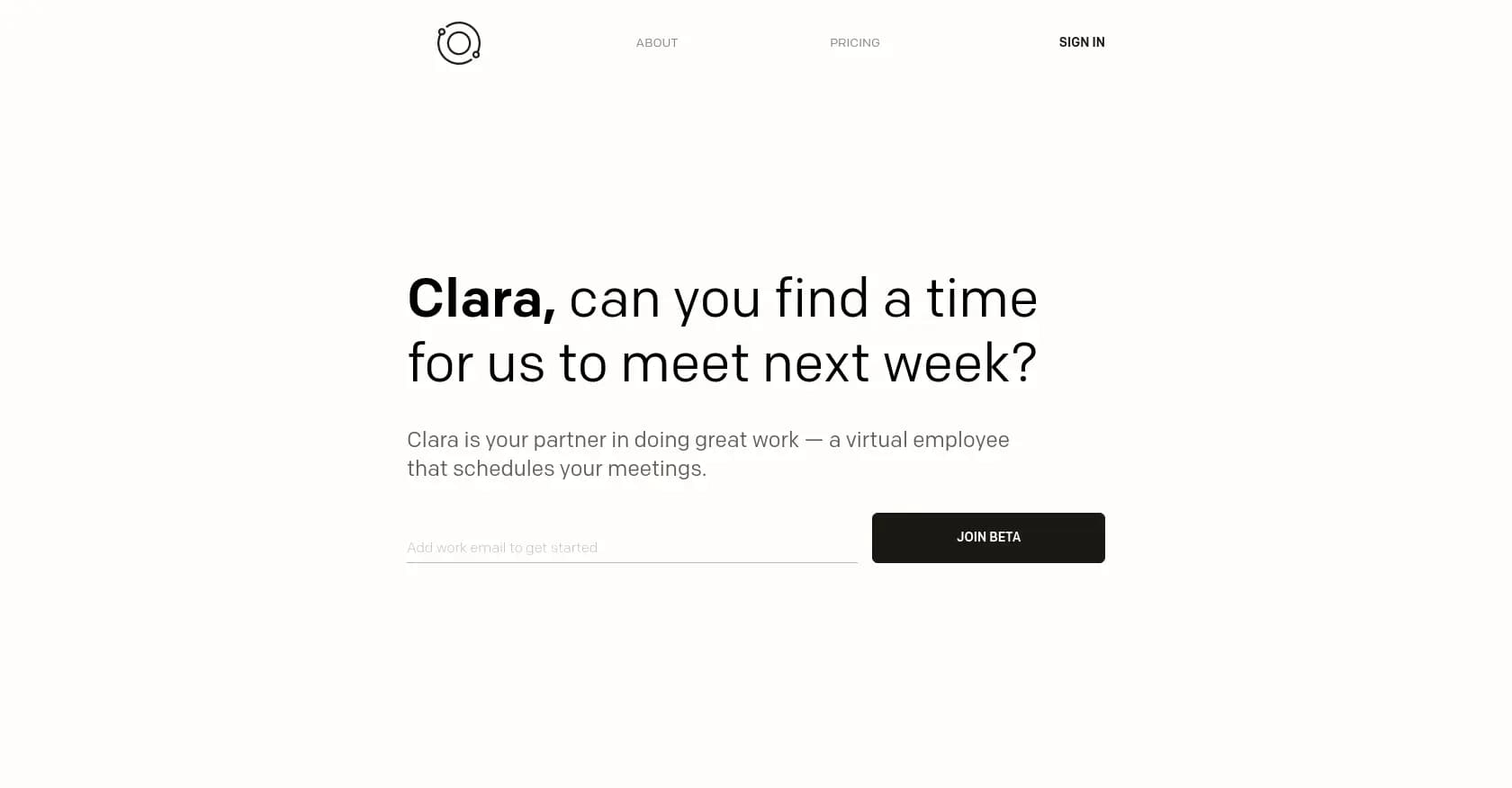
Clara takes a different approach: real humans assisted by AI. You CC Clara on email threads, and a human scheduler (backed by AI tools) handles the coordination. It's the white-glove option for executives who want scheduling handled completely.
How It Works
Clara acts as a virtual assistant accessed via email. When you need to schedule a meeting, just CC Clara. The team (human + AI) reads the thread, understands context, and handles all back-and-forth until the meeting is booked.
Key Features
- Email-native: Works through your existing email workflow
- Human judgment: Real people handle complex negotiations
- Context awareness: Understands nuance that AI misses
- Executive focus: Built for high-stakes scheduling
- Rescheduling: Handles changes and cancellations
Pros
- Truly hands-off: Closest to having a real assistant
- Handles edge cases: Humans navigate complex situations AI can't
- Professional: External contacts deal with a polished "assistant"
- No learning curve: Just CC an email address
Cons
- Expensive: Premium pricing for human service
- Response time: Not instant like pure software
- Limited scope: Scheduling only, no calendar optimization
- Dependency: Creates reliance on external service
Pricing
Custom pricing based on volume. Premium tier designed for executives.
Best For
C-suite executives and high-profile professionals who need white-glove scheduling and are willing to pay for human judgment.
Feature Comparison: AI Scheduling Assistants
| Feature | Ayari | Motion | Reclaim | Clockwise | Calendly | Trevor | SkedPal | Vimcal | Clara |
|---|---|---|---|---|---|---|---|---|---|
| AI task scheduling | Yes | Yes | Basic | No | No | Yes | Yes | No | No |
| Natural language input | Yes | No | No | Yes | No | Basic | No | Yes | Yes |
| Email integration | Yes | No | No | No | No | No | No | No | Yes |
| Built-in calendar | Yes | Yes | No | No | No | Yes | Yes | Yes | No |
| Focus time protection | No | Basic | Yes | Yes | No | Basic | Yes | No | No |
| Booking links | No | Yes | Yes | Yes | Yes | No | No | Yes | No |
| Team optimization | No | Basic | Yes | Yes | No | No | No | Basic | No |
| Sends on your behalf | Yes | No | No | No | No | No | No | No | Yes |
| Free tier | No | No | Yes | Yes | Yes | Yes | No | No | No |
| Outlook support | Yes | Yes | Yes | Yes | Yes | Yes | Yes | Yes | Yes |
| Gmail support | Yes | Yes | Yes | Yes | Yes | Yes | Yes | Yes | Yes |
How to Choose: Decision Framework
By Primary Pain Point
| Your Main Problem | Best Choice | Why |
|---|---|---|
| Tired of juggling multiple apps | Ayari | Email, calendar, and task planning combined |
| Want rigid deadline-driven auto-scheduling | Motion | AI builds your schedule with explicit deadlines |
| Meetings eating all your time | Reclaim | Defends and protects focus blocks |
| Team has no focus time | Clockwise | Optimizes across the organization |
| External scheduling back-and-forth | Calendly | Simple booking links everyone knows |
| Need cheap task scheduling | Trevor AI | Best value for basic features |
| Want structured deep work routines | SkedPal | Time maps + adaptive scheduling |
| Managing many calendars quickly | Vimcal | Speed and multi-calendar focus |
| Want someone else to handle it | Clara | Human + AI hybrid |
By Budget
| Budget | Recommendation |
|---|---|
| Free | Reclaim Lite, Clockwise Free, or Calendly Free |
| Under $10/month | Trevor AI ($6) or Clockwise Teams ($6.75) |
| $10-15/month | Ayari ($12.99), Reclaim Starter ($12), or Calendly Standard ($10) |
| $15-30/month | Vimcal ($20), SkedPal ($14.95), or Motion ($29) |
| Premium | Clara or enterprise tiers |
By Work Style
"I'm tired of switching between apps" → Ayari
"I work alone and need rigid structure" → Motion or SkedPal
"I'm a manager with too many 1:1s" → Reclaim
"My team's calendars are chaos" → Clockwise
"I schedule lots of external meetings" → Calendly + any other tool
"I want maximum calendar speed" → Vimcal
"I need white-glove service" → Clara
What AI Scheduling Can't Do (Yet)
Before investing in any tool, understand the current limitations:
AI doesn't know your priorities. Algorithms see calendar slots, not business strategy. They don't know that client A is fragile while client B is low-maintenance.
AI can't read the room. Tools optimize for efficiency, but sometimes you need an afternoon buffer before a difficult conversation, not another meeting crammed in.
AI reacts, it doesn't anticipate. A good human assistant notices when your energy is flagging and adjusts. AI waits for you to reschedule manually.
AI doesn't handle exceptions well. One-off situations requiring judgment—"Should I bump this meeting for an urgent request?"—still need human decision-making.
The best approach in 2026 is using AI for the logistics (finding available times, sending confirmations, protecting recurring blocks) while keeping strategic calendar decisions yourself.
Frequently Asked Questions
What's the difference between AI scheduling assistants and traditional calendar apps?
Traditional calendar apps (Google Calendar, Outlook) store and display events. AI scheduling assistants actively manage your time—auto-scheduling tasks, protecting focus blocks, or handling meeting coordination. The shift is from passive storage to active optimization.
Can AI scheduling assistants work with both Outlook and Gmail?
Most tools support both. Ayari, Motion, Reclaim, Clockwise, Calendly, Trevor AI, and SkedPal all integrate with Google Calendar and Microsoft Outlook. Check specific features—some tools have deeper integration with one platform.
Are AI scheduling tools worth the cost?
Studies suggest AI scheduling saves 4-5 hours per week for active users. At $10-30/month, that's roughly $0.50-1.50 per hour saved. If your time is worth more than that, the math works. The key is choosing a tool that addresses your specific bottleneck.
Do these tools access all my calendar and email data?
Yes, they require access to function. Reputable tools use OAuth (secure authorization) and don't permanently store email content—they process it to provide assistance. Always review privacy policies, especially for tools with AI analysis features.
Can I use multiple scheduling tools together?
Yes, with caveats. Common combinations: Calendly for external booking + Reclaim for internal optimization. Avoid running multiple task schedulers (Motion + Trevor) as they'll conflict. Ayari can complement tools that don't handle email.
Which tool is best for sales teams?
For meeting booking: Calendly or Chili Piper. For calendar optimization across reps: Clockwise or Reclaim. For handling inbound meeting requests via email: Ayari. Many sales teams use multiple tools for different purposes.
What if I just need simple scheduling links?
Calendly's free tier handles basic booking well. Reclaim, Clockwise, and Motion also include scheduling links. You likely don't need a dedicated tool unless you have specific requirements (round-robin, payment collection, etc.).
How do AI scheduling assistants handle time zones?
Most tools handle timezone conversion automatically when scheduling with external contacts. Vimcal is particularly strong here. For recurring meetings across time zones, check that your tool respects each attendee's local time.
Conclusion: Matching the Tool to Your Workflow
The best AI scheduling assistant depends on where you lose time:
If you're tired of switching between apps, Ayari brings email, calendar, and task planning into one workspace. Tell it what needs to happen, and it actually executes: creating events, sending emails, and managing your schedule.
If you want rigid, deadline-driven structure, Motion builds your day automatically based on task deadlines and time estimates.
If your problem is focus time disappearing, Reclaim or Clockwise protect blocks and optimize around existing commitments.
If external scheduling is the bottleneck, Calendly remains the standard that everyone understands.
If budget matters most, Trevor AI or free tiers of Reclaim and Clockwise provide solid starting points.
The tools are mature enough now that the wrong choice isn't any of them—it's picking a tool that solves a problem you don't have while ignoring your actual bottleneck.
For professionals who want email, calendar, and task planning combined, try Ayari free → and see the difference a single workspace makes.