
Read time: 14 min | Last updated: January 2026
Gmail handles over 1.8 billion users worldwide, and Google has been steadily adding AI features through Gemini. But Gmail's built in AI isn't the only option, and depending on your workflow, it might not be the best one.
The reality: Google's Gemini integration is improving fast, but it's designed as a generalist tool across all Workspace apps. Specialized AI email assistants often go deeper on inbox management, writing quality, and workflow automation.
This guide compares seven AI assistants that work with Gmail, from Google's native Gemini to purpose built alternatives. Each has genuine strengths and real limitations worth knowing before you commit.
TL;DR: Best AI Email Tools for Gmail (2026)
| Tool | Best For | Starting Price | Key Strength |
|---|---|---|---|
| Ayari | Full email + calendar workspace with AI chat | $12.99/month | Complete email client with natural language AI that matches your voice |
| Google Gemini | Deep Google Workspace integration | Free to $19.99/month | Native Gmail experience, improving rapidly |
| Superhuman | Speed and keyboard first users | $30/month | Fastest email interface available |
| Shortwave | AI search and modern Gmail experience | Free to $18/month | Natural language inbox search |
| Spark | Budget conscious professionals | Free to $20/month | Most affordable premium option |
| Gmelius | Teams with shared inboxes | $21/user/month | Collaborative email management |
| Boomerang | Email scheduling and follow ups | Free to $14.98/month | Reliable send later since 2010 |
1. Ayari: Best All in One Email, Calendar & AI Workspace
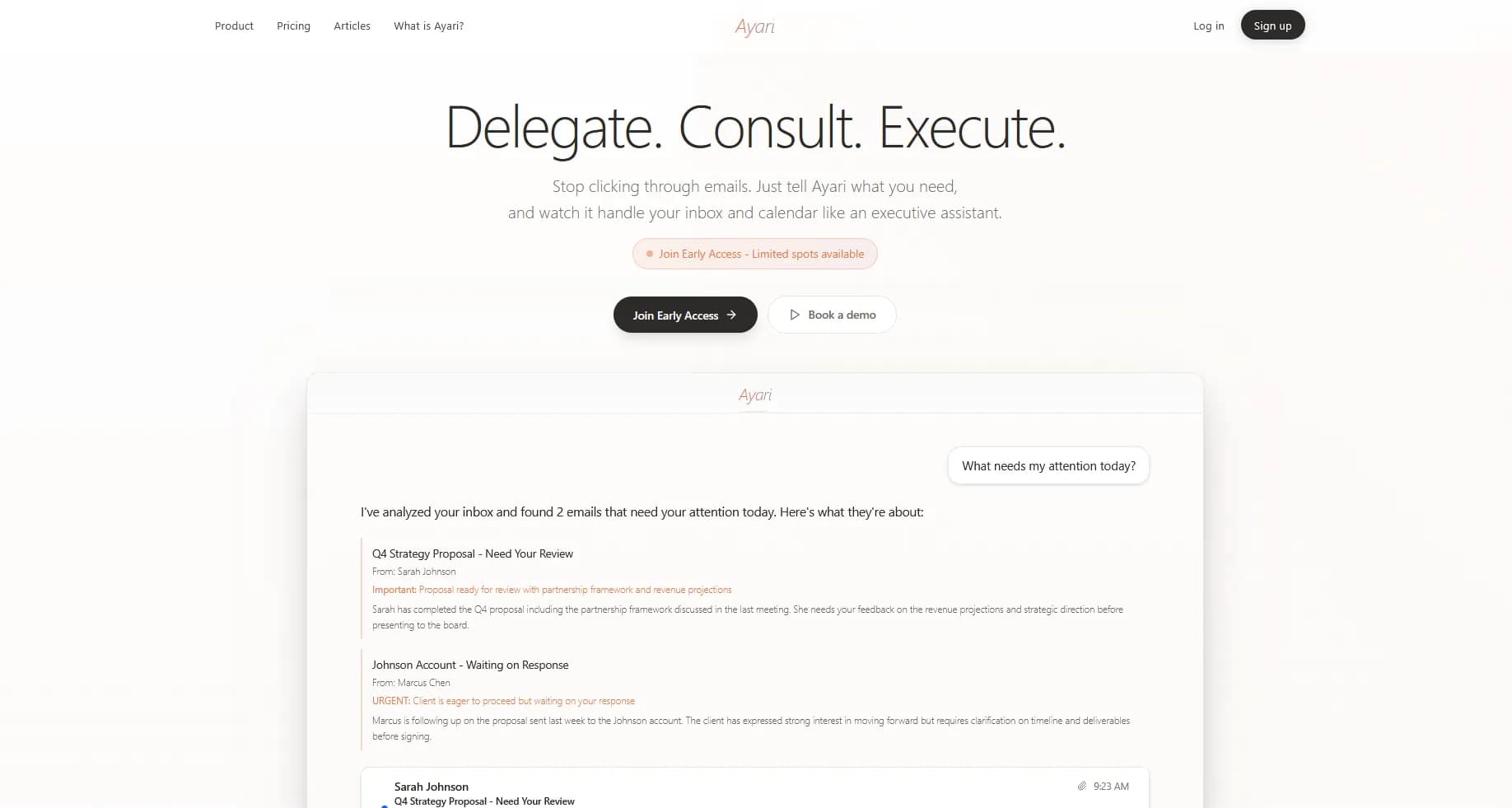
Ayari is a full email client and calendar workspace with a built in AI assistant you interact with through natural conversation. You get a complete inbox (read, compose, reply, organize) alongside a native calendar panel, and an AI chat interface that lets you manage it all by just asking.
That combination is what makes it different. You can browse your inbox normally, or you can type "show me unread client emails from this week and draft follow ups" and get exactly that. The AI reads your existing sent emails and the current thread as context when generating replies, so drafts match your tone and writing style from day one, with no training period.
Key Features
- Full email client: Native inbox, compose, thread view, and email management. Read, reply, forward, and organize without leaving Ayari
- Built in calendar panel: View and manage your schedule alongside email, not in a separate tab
- Chat based AI assistant: Ask your inbox anything in plain English. "What did the marketing team say about the launch?" or "Which invoices are overdue?" and get real answers
- Context aware drafts that match your voice: When generating replies, the AI reads your sent emails and the current thread to match your tone, formality, and phrasing. No warm up period needed
- Batch draft replies: AI generates personalized responses for multiple emails at once, ready for your review
- Thread summaries: Instantly understand long email chains without reading every message
- Smart filters: Create filters for specific senders or topics so you never miss what matters
- Daily briefings: Automated summary of what needs your attention each morning
- Multi tool integration: Connects with Notion (Slack and more coming) alongside Gmail
- AI that takes action: Doesn't just draft. It sends emails, creates calendar events, and executes with your approval
Pros
- Complete workspace: Full email client, calendar, and AI in one place. Not a plugin or overlay on top of Gmail
- Natural language power: Manage your inbox through conversation. Query emails, draft replies, schedule meetings, all by asking
- Instant style matching: AI reads your sent history and current thread context to produce drafts that sound like you from the first use
- Works with Gmail and Outlook: Not locked into one ecosystem. Switch providers without losing your workflow (see our Outlook comparison if you use both)
- AI that executes: Review a draft and send it, schedule a meeting, create a follow up, all from one interface
Cons
- No free tier: Free trial only, unlike some competitors with permanent free plans
- Separate interface: Works as its own workspace rather than a Gmail add on or extension
Pricing
- Standard: $12.99/month
- Pro: $24.99/month
Best For
Professionals who want a complete email and calendar workspace with AI they can actually talk to, where managing your inbox through natural conversation and using traditional email features aren't an either or choice.
2. Google Gemini: Best for Google Workspace Power Users
Google has been aggressively integrating Gemini into Gmail throughout 2025 and 2026, and it's now a genuinely capable option for users already in the Google ecosystem. The January 2026 updates brought AI Overviews, smarter inbox prioritization, and improved writing assistance.
Gemini's strength is breadth: it works across Gmail, Docs, Sheets, Slides, and Meet. If you're all in on Google Workspace, the integration is seamless.
Key Features
- AI Overviews: Synthesizes long email threads into concise summaries with key points
- AI Inbox: Filters clutter and highlights to dos, identifying VIPs based on your email patterns
- Help Me Write: Generates email drafts based on prompts (now free for all users)
- Suggested Replies: Context aware quick responses (now free for all users)
- Proofread: Checks grammar, tone, and clarity (AI Pro/Ultra subscribers)
- Cross app integration: Reference Drive files, Calendar events, and other Workspace data
Pros
- Native integration: No installation needed. It's built into Gmail
- Rapidly improving: Google ships frequent updates with Gemini 3 capabilities
- Free tier available: Help Me Write and Suggested Replies are now free
- Works everywhere: Consistent experience across web, mobile, and desktop
Cons
- Generalist tool: Good at many things, but not specialized for email workflows
- Premium features require subscription: Advanced AI features need AI Pro ($19.99/month)
- Google only: Doesn't connect well to non Google tools
- Can feel generic: Drafts sometimes lack personality without significant prompting
- Privacy considerations: Your data trains Google's models unless you opt out
Pricing
- Free: Help Me Write, Suggested Replies, basic AI features
- AI Pro: $19.99/month (currently 50% off first year at $99.99/year) |Proofread, advanced Gemini features
- Workspace add on: $20 to $30/user/month for business accounts
Best For
Users already invested in Google Workspace who want AI assistance without adding another vendor. Especially valuable if you also use Docs, Sheets, and Meet where Gemini helps.
3. Superhuman: Best for Speed Obsessed Users
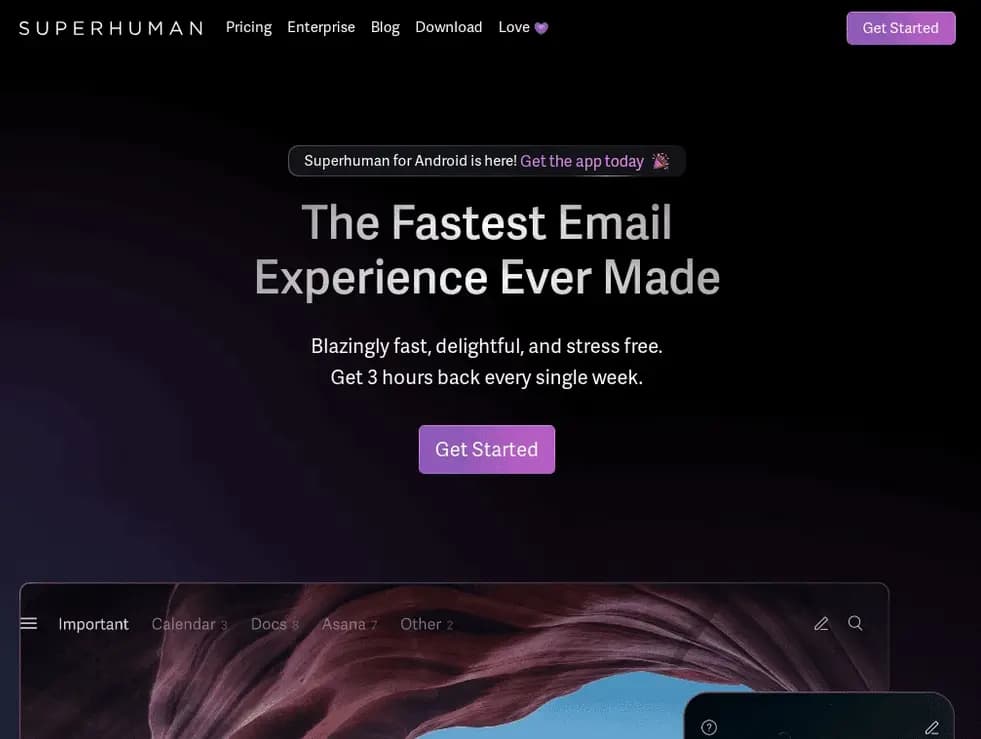
Superhuman rebuilt email from the ground up with one obsession: speed. Everything is keyboard driven, the interface is minimal, and AI features focus on getting through your inbox faster rather than automating complex workflows.
It's polarizing. Some users swear by it, others find the learning curve not worth it. If you process hundreds of emails daily and want to shave seconds off every interaction, Superhuman delivers. (Note: Superhuman was acquired by Grammarly in October 2025 but continues operating independently.)
Key Features
- Keyboard first design: Every action has a shortcut, minimal mouse required
- AI triage: Automatically sorts emails by importance with Auto Labels
- Auto Drafts: AI generated reply drafts ready when you open emails (Business plan)
- Ask AI: Query your inbox in natural language (Business plan)
- Read receipts: Know when emails are opened
- Snippets: Templated responses for common situations
- Split inbox: Separate important emails from everything else
Pros
- Genuinely fast: Once you learn the shortcuts, you fly through email
- Beautiful, minimal interface: No clutter or distractions
- Strong AI features: Auto Drafts learn your writing style over time
- Cross platform: Works with both Gmail and Outlook
Cons
- Steep learning curve: You need to invest time learning keyboard shortcuts
- Expensive: $30 to $40/month for what's primarily an email client
- Best AI features require Business plan: Auto Drafts and Ask AI cost $40/month
- Limited integrations: Focused on email, doesn't connect to broader workflows
Pricing
- Starter: $30/month ($25/month billed annually) |core features, keyboard shortcuts, tracking
- Business: $40/month ($33/month billed annually) |adds Auto Drafts, Ask AI, CRM integrations
- Enterprise: Custom pricing |SSO, advanced security, dedicated support
Best For
Power users processing 200+ emails daily who want maximum speed and are willing to learn new workflows. Best value if you need the Business plan features.
4. Shortwave: Best for AI Powered Search
Built by former Google engineers who worked on the original Inbox by Gmail, Shortwave brings a modern, chat based interface to Gmail with a focus on intelligent search and AI assistance.
The standout feature is natural language search: instead of remembering exact keywords, describe what you're looking for and Shortwave finds it. Their "Ghostwriter" AI also learns your writing style from your sent folder.
Key Features
- Natural language search: Find emails by describing what you need, not exact keywords
- Ghostwriter AI: Learns your writing style from sent emails for personalized drafts
- Tasklet automation: Connect inbox to Slack, Calendar, Notion, and 3,000+ apps (beta)
- Modern chat based interface: Threads feel more like conversations
- Keyboard shortcuts: Efficient navigation without mouse
- Bundle similar emails: Groups related messages automatically
Pros
- Superior AI search: Natural language queries genuinely work well
- Writing style learning: Ghostwriter produces drafts that sound like you
- Cheaper than Superhuman: Similar speed benefits at $18/month vs $30+
- Clean modern interface: Fresh take on email design
Cons
- Gmail only: No Outlook or other provider support
- Forced signature on free plan: "Sent with Shortwave" looks unprofessional
- Newer product: Less established track record than competitors
- Tasklet still in beta: Automation features not fully mature
Pricing
- Free: Basic AI features with limitations
- Pro: $18/month |full AI features, advanced search, team collaboration
Best For
Gmail users who need powerful search across years of email history and want AI that actually sounds like them when drafting responses.
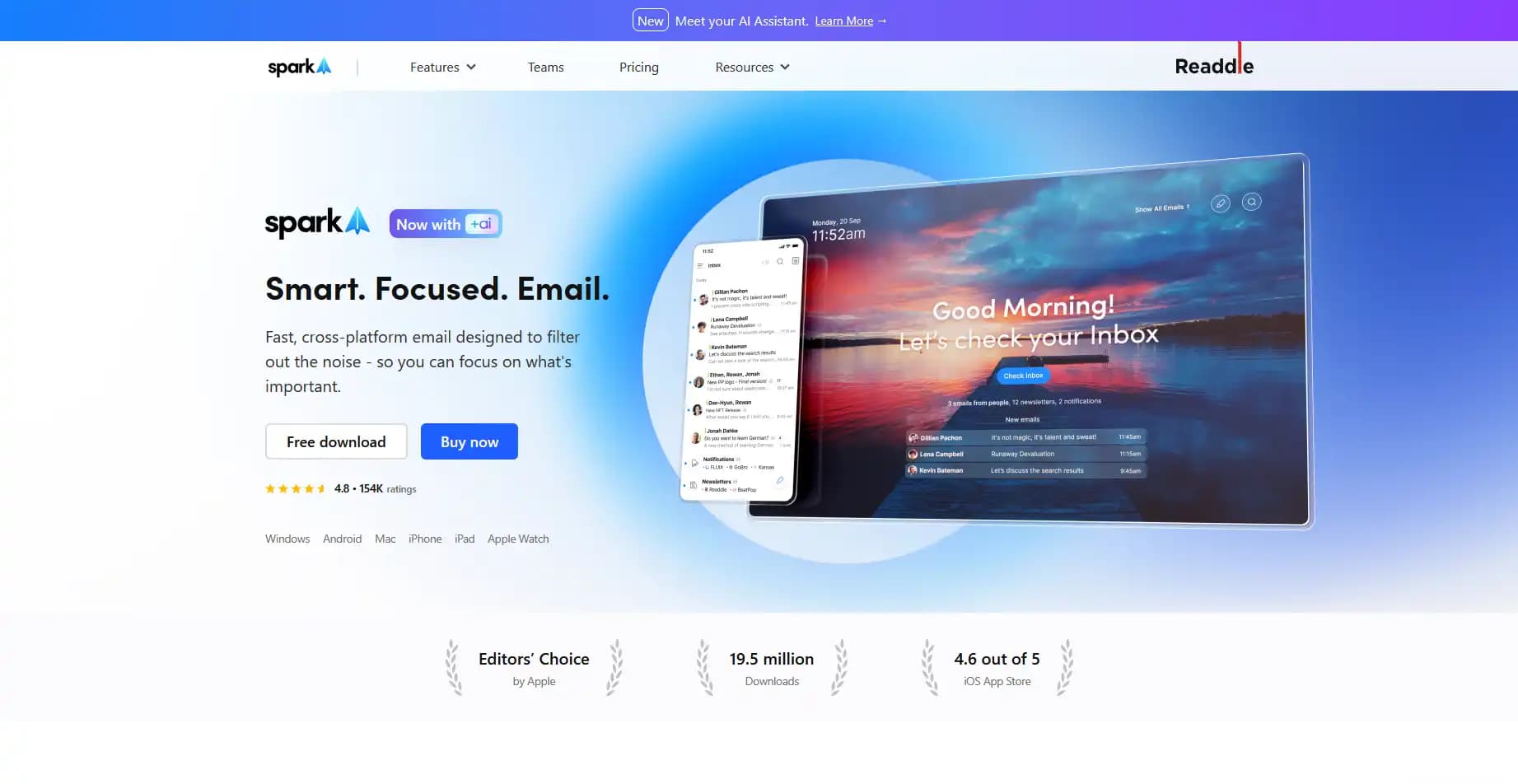
5. Spark: Best Budget Friendly Option
Spark is the value play in the AI email space. With a free tier and paid plans starting at $10/month, it's one of the most affordable email clients with genuine AI capabilities.
The app works across all major platforms and supports Gmail, Outlook, iCloud, and any IMAP provider. If you're cost conscious but want more than Gmail's free features, Spark delivers solid AI assistance without the premium price tag.
Key Features
- Spark +AI: AI powered email drafting and editing
- Smart Inbox: Automatically categorizes emails by type
- Priority Inbox: Surfaces important messages first
- Gatekeeper: Blocks unwanted senders
- Email scheduling: Send later functionality
- Cross platform: Mac, Windows, iOS, Android, web
- Universal inbox: Manage Gmail, Outlook, iCloud, and IMAP accounts together
Pros
- Affordable with a free tier: Paid plans start at $10/month
- Works with any email provider: Not locked to Gmail or Outlook
- Solid AI features: Drafting, summarizing, and smart categorization
- Clean intuitive interface: Easy to learn, no keyboard memorization required
Cons
- AI features have usage quotas: Not unlimited smart replies
- Less powerful than specialized tools: Good at everything, great at nothing
- Team features cost more: Shared inboxes require higher tier
- Can feel basic: Power users may find it limiting
Pricing
- Free: Basic features, no AI
- Premium: $10/month |Spark +AI, Priority Inbox
- Pro: $20/month |Unlimited AI, shared inboxes, read statuses
Best For
Budget conscious professionals who want AI email assistance without paying Superhuman prices. Great for those managing multiple email accounts from different providers.
6. Gmelius: Best for Team Collaboration
Gmelius transforms Gmail into a collaborative workspace. If you manage shared inboxes (support@, sales@, info@), need to assign emails to team members, or want Kanban style email workflows, Gmelius fills a gap that individual focused tools ignore.
Their AI assistant "Meli" handles sorting, drafting, and routing, but the real value is turning Gmail into a team tool without switching to a helpdesk platform.
Key Features
- Shared inboxes: Manage support@, sales@, or any group address inside Gmail
- Email assignment: Assign conversations to team members with clear ownership
- Meli AI assistant: Auto drafts, sorting, and dispatch agents
- Shared labels: Turn any Gmail label into a live thread your team can follow
- Workflow automation: Rules to route, tag, and respond automatically
- Kanban boards: Visual email management with drag and drop
- Email tracking: Real time open and click notifications
Pros
- Best team email solution for Gmail: Turns Gmail into a helpdesk without leaving Gmail
- Powerful AI for teams: Meli can handle routine responses automatically
- Native Gmail integration: Works inside your existing Gmail interface
- Good automation: Rules and workflows reduce repetitive tasks
Cons
- Expensive for individuals: $21+/user/month is steep for solo users
- Team focused features: Overkill if you don't need collaboration
- Requires browser extension: Limited offline and mobile functionality
- Learning curve: Team workflows take time to set up properly
Pricing
- Growth: $21/user/month |workflow automation, meeting scheduler, integrations
- Pro: $33/user/month |CRM integrations, custom roles, higher usage caps
- Enterprise: $50/user/month |advanced security, custom onboarding, priority support
Best For
Teams managing shared inboxes who want to stay in Gmail rather than adopting a separate helpdesk tool. Particularly valuable for support, sales, and operations teams.
7. Boomerang: Best for Email Scheduling
Boomerang has been around since 2010, making it one of the oldest email productivity tools still actively developed. Its core strength remains email timing: scheduling sends, follow up reminders, and response tracking.
The AI feature "Respondable" analyzes your emails and predicts response likelihood. It's basic compared to newer AI assistants, but the scheduling features are battle tested and reliable.
Key Features
- Send Later: Schedule emails to send at optimal times
- Boomerang messages: Temporarily archive emails and have them reappear later
- Follow up reminders: Get notified if you don't receive a response
- Respondable AI: Scores your email's likelihood of getting a response
- Read receipts: Know when emails are opened
- Inbox Pause: Temporarily stop incoming emails for focus time
- Meeting scheduling: Propose times and let recipients pick (Pro feature)
Pros
- Reliable send later: The core scheduling feature just works
- Useful reminders: Follow up prompts prevent emails falling through cracks
- Lightweight: Does a few things well without feature bloat
- Long track record: Stable established product since 2010
- Generous free tier: 10 message credits/month with no time limit
Cons
-
AI features are basic: Respondable helps but isn't a full AI assistant
-
Interface feels dated: Design hasn't kept up with modern standards
-
Feature overlap: Gmail now includes native send later
-
Extension can be slow: Occasional performance issues in browser
Pricing
- Basic: Free |10 message credits/month, most features
- Personal: $4.98/month (billed annually) |unlimited credits, mobile apps
- Pro: $14.98/month (billed annually) |Respondable AI, meeting scheduling
- Premium: $49.98/month (billed annually) |CRM integration, priority support
Best For
Users who primarily need help with email timing: scheduling when emails send and ensuring follow ups happen. Best if you want something lightweight and proven.
Feature Comparison: Gmail AI Assistants
| Feature | Ayari | Gemini | Superhuman | Shortwave | Spark | Gmelius | Boomerang |
|---|---|---|---|---|---|---|---|
| Full email client | Yes | Add on | Yes | Yes | Yes | Extension | Extension |
| Built in calendar | Yes | Via Google | No | No | Yes | Yes | No |
| AI email drafting | Yes | Yes | Yes | Yes | Yes | Yes | Basic |
| Matches your writing style | Yes | No | Yes | Yes | No | No | No |
| Inbox triage/prioritization | Yes | Yes | Yes | Yes | Yes | Yes | No |
| Natural language interface | Yes | Limited | No | No | No | No | No |
| Natural language search | Yes | Yes | No | Yes | No | No | No |
| Send on your behalf | Yes | No | No | No | No | Yes | Yes |
| Team/shared inbox | No | No | No | No | Paid | Yes | No |
| Third party integrations | Notion+ | Google only | Limited | 3,000+ | Limited | Many | Limited |
| Thread summaries | Yes | Yes | No | Yes | Yes | Yes | No |
| Send later/scheduling | No | Yes | Yes | Yes | Yes | Yes | Yes |
| Gmail + Outlook support | Both | Gmail only | Both | Gmail only | Both | Gmail only | Both |
| Free tier | No | Yes | No | Yes | Yes | Trial | Yes |
How to Choose the Right Gmail AI Tool
Choose Ayari if...
- You want a full email client and calendar in one workspace, not just an AI layer on top of Gmail
- You like the idea of managing your inbox through natural conversation (ask questions, draft replies, take action by chatting)
- You want AI drafts that match your writing style instantly by reading your sent history and thread context
- You need email and calendar together (see our AI calendar management guide and scheduling assistants comparison)
- You use tools beyond Google (like Notion) or also use Outlook
Choose Google Gemini if...
- You're all in on Google Workspace (Gmail, Docs, Drive, Meet)
- You want zero friction, no new apps to install
- You need AI assistance across multiple Google apps, not just email
- The free tier features are sufficient for your needs
- You want the simplest possible setup
Choose Superhuman if...
- You process 200+ emails daily
- You're willing to invest time learning keyboard shortcuts
- Speed is your top priority over features
- You can justify $30 to $40/month for email productivity
Choose Shortwave if...
- You need powerful natural language search across years of email
- You want AI drafts that actually sound like you (Ghostwriter)
- You prefer a modern, chat based email interface
- Budget matters. It's half the price of Superhuman
Choose Spark if...
- Budget is your primary concern
- You manage multiple email accounts (Gmail, Outlook, iCloud)
- You want solid AI features without premium pricing
- You don't need team collaboration features
Choose Gmelius if...
- You manage shared inboxes (support@, sales@, info@)
- Your team needs to assign and track email conversations
- You want to stay in Gmail rather than adopting a helpdesk tool
- Workflow automation would reduce repetitive tasks
Choose Boomerang if...
- Email timing is your main challenge
- You need reliable follow up reminders
- You want something lightweight and proven
- Advanced AI features aren't a priority
Frequently Asked Questions
Does Gmail have built in AI?
Yes, Google has integrated Gemini into Gmail. Free features include Help Me Write (draft generation) and Suggested Replies. Advanced features like Proofread require Google AI Pro at $19.99/month. The AI capabilities have improved significantly with Gemini 3 in January 2026.
Is Google Gemini worth paying for?
For heavy Google Workspace users, potentially yes, especially if you also use Docs, Sheets, and Meet where Gemini helps. For Gmail only use, standalone AI assistants often provide more specialized value. The 50% discount on the first year makes it worth trying.
Can AI read all my Gmail emails?
AI assistants require permission to access your email through OAuth (secure authorization). Reputable tools process emails to provide assistance but handle data according to their privacy policies. Google's Gemini uses your data within the Google ecosystem. Third party tools vary, so always check privacy policies before connecting.
What's the difference between AI email assistants and Gmail filters?
Gmail filters follow rigid "if then" logic: if sender equals X, move to folder Y. AI assistants understand context and meaning. They can identify "important" emails based on content, relationships, and patterns, not just sender addresses or keywords. They can also draft contextually appropriate responses. For more on how AI handles inbox sorting, see our email triage guide.
Can AI send emails automatically without my approval?
Most AI assistants draft emails for your review before sending. Ayari can send with your approval after you review drafts. Some tools like Gmelius can send automatically for specific scenarios, but this is typically optional and requires explicit configuration. For more on automation approaches, see our guide on how to automate email replies.
Which tool is best for Gmail power users?
It depends on what "power user" means for you. For raw speed: Superhuman. For AI search: Shortwave. For a full email and calendar workspace you can manage through conversation: Ayari. For team collaboration: Gmelius. Each excels in different dimensions.
Can I use multiple AI email tools together?
Yes, though feature overlap can cause confusion. Common combinations: Boomerang (scheduling) + Ayari or Shortwave (AI assistance). Avoid running multiple drafting tools simultaneously as they may conflict. Gmelius works well alongside individual focused tools since it handles team features.
How do these compare to ChatGPT for email?
ChatGPT requires copy pasting email content and drafts back and forth. Connected AI assistants access your inbox directly, understand full context (who you're emailing, previous conversations, your calendar), and can take action. For a detailed comparison, see our guide on ChatGPT for email.
Conclusion: Which Gmail AI Assistant Should You Choose?
For most professionals, Ayari is the best choice. It's the only tool that combines a full email client, calendar, and an AI assistant you can actually have a conversation with. Ask questions about your inbox, draft replies that match your voice, and take action, all through natural language. The AI reads your sent emails and thread context to sound like you from day one, and it can execute on your behalf with your approval.
If you're deeply invested in Google Workspace and use Docs, Sheets, and Meet daily, Gemini's native integration makes sense. No new apps to learn, and the free tier has improved significantly. But it's a generalist tool, good across many apps but not specialized for email.
If you need a free option, Spark delivers solid AI features without the premium price tag, with paid plans starting at just $10/month if you need more.
The other tools in this guide serve specific niches (Superhuman for keyboard first speed, Gmelius for team inboxes, Boomerang for scheduling) but for a complete AI powered email experience, Ayari delivers the most value.
Try Ayari free → and see what managing email through conversation feels like.
Looking for AI email tools for Outlook instead? See our Outlook comparison guide. Need help with email writing specifically? Check out our best AI email writers roundup.